
 AI Front Office for Healthcare Practices
Every call, text, and message gets a response — even when your front desk is slammed
AI Front Office picks up where your team can't get to right away, answering phone calls, text messages, and website chats during business hours, after hours, and everything in between, while keeping your staff fully in the loop.
- Fewer calls, texts, and web inquiries left unanswered
- Coverage that continues before, during, and after office hours
- Less repetitive work for your front desk team
- Full visibility, so your staff can step in any time
Your account manager will reach out to schedule a walkthrough and show how AI Front Office could fit into your current plan with us.
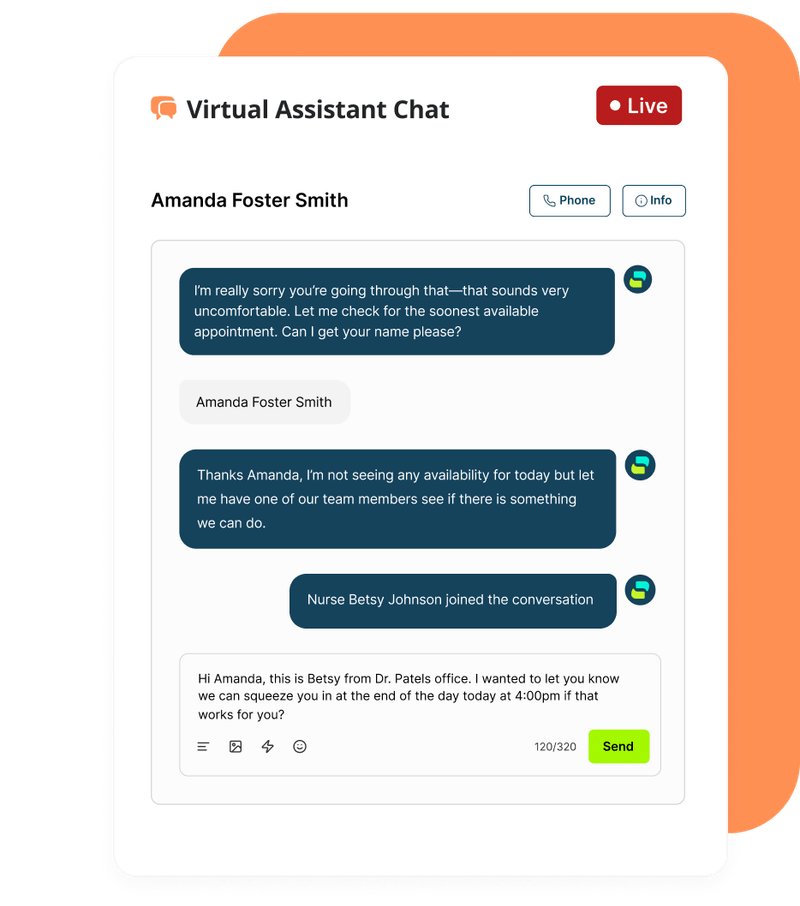
Four everyday moments, handled differently
AIFO doesn't change what your office does. It changes who's available to respond the moment a patient reaches out.
 During business hours
Front desk is mid-call
While your team helps the patient in front of them, AIFO picks up an incoming text or web chat, answers routine questions, and starts an appointment request.
 After hours
The office is closed
A patient texts at 9pm about rescheduling tomorrow's visit. AIFO responds right away and logs the request so it's waiting for your staff first thing in the morning.
 New patient inquiry
Someone finds you online
A prospective patient messages through your website asking about services and availability. AIFO answers, gathers their details, and flags it as a new lead for follow-up.
 Existing patient
A current patient reaches out
AIFO recognizes them as an existing patient and can bring the right staff member, like a nurse or scheduler, directly into the conversation when needed.
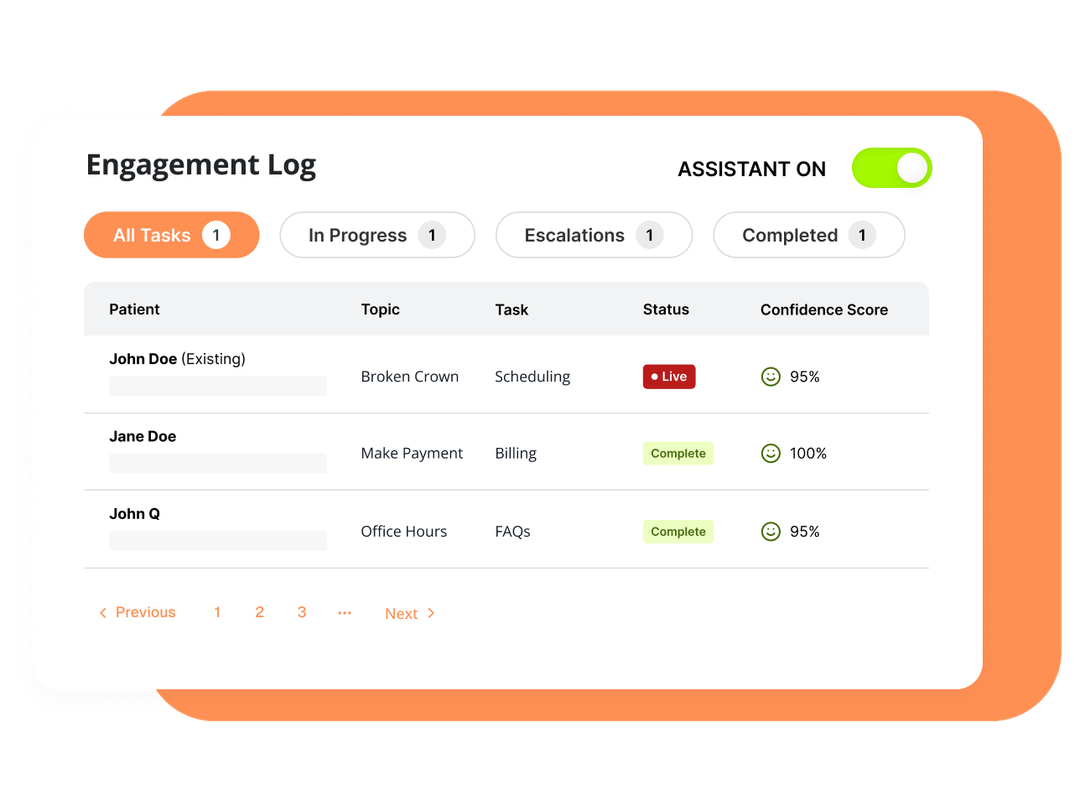
Every conversation, new or existing patient, lands in one log your staff can scan and act on.
Where AI Front Office fits into your day
Some actions AIFO can complete on its own. Others depend on how your calendar and workflows are set up, and your account manager will walk through exactly what applies to your office.

Calls answered or routed
Picks up incoming calls based on the rules your office sets: busy line, after hours, or general overflow.

Texts & web chat inquiries
Responds to text messages and website chat in real time, using your practice's information.

Routine FAQs
Answers common questions about hours, services, and policies without tying up a staff member.

Appointment requests
Collects the details and checks availability. Whether a request is confirmed instantly or passed to staff depends on your calendar setup.
Configuration-dependent

Reschedule & cancellation requests
Takes the request and notifies your team right away. Completion depends on your scheduling workflow and any confirmation your office requires.
Configuration-dependent

Lead follow-up
Follows up on new inquiries so they don't go cold, using the follow-up cadence your office sets.
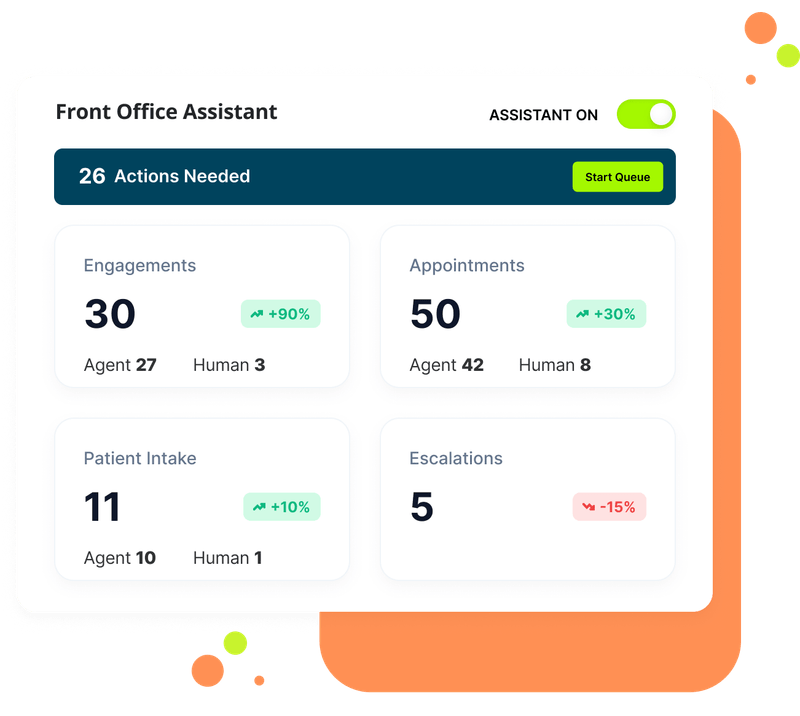
 Your team keeps visibility and control
AIFO is built to support your front desk, not replace it. Every engagement, appointment, and escalation is logged with a clear record of what the assistant handled and what a staff member handled, so your team can review, adjust, or step into any conversation.
Sample dashboard shown for illustration. Escalation rules and what counts as "needs a person" are configured with your account manager.
See how a conversation could play out
Choose a scenario below to walk through a sample conversation and the outcome for your office.
See AI Front Office in action
Two short videos from the AI Front Office team. Players load only when you press play.
Want to see how this would look on your practice's calls and messages?
Talk to an Account ManagerCommon questions from practice teams
What happens after regular office hours?
AI Front Office keeps answering calls, texts, and web chats after your team leaves for the day, using your practice's information to help with common questions and requests. Anything that needs a person, like an urgent issue or an appointment it can't confirm on its own, is flagged for your staff to follow up on when the office reopens.
Does it treat new inquiries differently from current patients?
Yes. AIFO recognizes whether it's talking with someone already in your system or a new inquiry, and the summary your staff sees is labeled accordingly, so your team can prioritize and respond with the right context.
Can my staff see the conversations and step in?
Yes. Conversations are logged in a shared view your team can review, and staff can join or take over a conversation at any point. AIFO is built to work alongside your front desk, not to operate on its own.
Can it handle reschedules and cancellations?
It can receive and log reschedule and cancellation requests as soon as they come in. Whether a change is confirmed automatically or routed to a staff member to complete depends on how your calendar and workflows are configured, and your account manager will review the options for your office.
What does setup involve?
Setup starts with a conversation with your account manager about how your office currently handles calls, texts, and scheduling. From there, AI Front Office is configured to match, including what it can resolve on its own and what it should hand off to your team. Specific integrations, timelines, and technical requirements are confirmed during that conversation.
See how it could work in your office
After you fill out the short form, an account manager will learn how your office currently handles calls and texts, discuss a personalized walkthrough, and explain how AI Front Office could fit into your current plan with us.